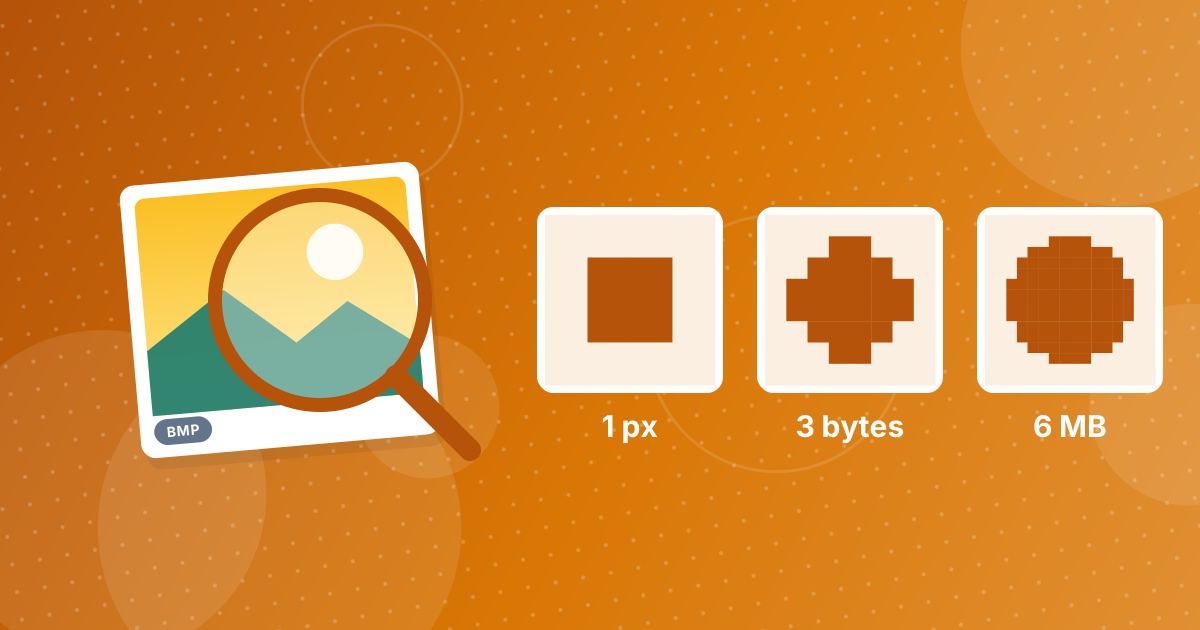
BMP files are large because they usually store every pixel uncompressed, typically using three bytes per pixel for 24-bit colour. The size depends only on the image dimensions, not on what the image shows, so even a plain white 1920 × 1080 screenshot takes about 6 MB. Converting to JPG or PNG shrinks it dramatically.
Here is how to calculate a BMP's size and which conversion to choose.
On this page
Key takeaways
- Size ≈ width × height × bytes per pixel, plus a small header.
- 24-bit BMP uses 3 bytes per pixel; 32-bit uses 4.
- BMP rarely uses compression, unlike JPG and PNG.
- JPG suits photos; PNG suits screenshots and graphics.
Steps shown in the video
- Click Choose BMP Files and select your BMP images
- Each file is listed with a preview and its size
- Click Convert to turn them into JPG files
- Download your JPGs (several come as one ZIP)
How to calculate a BMP's size
Multiply the width by the height by the bytes per pixel. Each row is also padded to a multiple of 4 bytes, and a header of about 54 bytes is added, but those barely change the total.
| Image | Calculation | Size |
|---|---|---|
| 800 × 600 | 800 × 600 × 3 | 1.4 MB |
| 1920 × 1080 | 1920 × 1080 × 3 | 6.2 MB |
| 4000 × 3000 (12 MP) | 4000 × 3000 × 3 | 36 MB |
Why doesn't BMP compress?
BMP dates from early Windows, when simple, fast access mattered more than disk space. The format does define a basic run-length compression for images with 256 colours or fewer, but most programs save full-colour BMPs without any compression at all.
How to make a BMP smaller
| Method | Best for | Effect |
|---|---|---|
| Convert to JPG | Photos | Very small files, slight loss |
| Convert to PNG | Screenshots, graphics, text | Smaller, no loss |
| Reduce dimensions | Images larger than needed | Size drops with pixel count |
| Put several in a PDF | Sharing a set | One compact file |
Use BMP to JPG for photos, BMP to PNG for screenshots, the Image Resizer to reduce dimensions, and BMP to PDF for a set.
Which format should you keep?
For a full comparison of the trade-offs, read BMP vs JPG. If you only need the conversion steps, see how to convert BMP to JPG.
The same image in different formats
For a typical 1920 × 1080 screenshot, the uncompressed BMP is about 6 MB. The same screenshot as PNG is often a few hundred kilobytes, because PNG compresses the large flat areas without changing any pixel. As a JPG it can be smaller again, with slight losses around text. A photo of the same size shrinks less as PNG but a lot as JPG.
Exact numbers depend on the image, so the quickest way to find out is to convert and compare the file sizes.
BMP file size: FAQ
Why is my BMP file so big?
BMP stores every pixel without compression, usually 3 bytes per pixel, so size grows with the image dimensions.
How do I calculate BMP file size?
Width × height × bytes per pixel (3 for 24-bit), plus a small header and row padding.
How do I reduce BMP file size?
Convert it to JPG or PNG, or reduce its dimensions.
Is PNG smaller than BMP?
Yes, usually much smaller, and PNG is also lossless.
Does a simple image make a smaller BMP?
No. An uncompressed BMP is the same size whether the image is plain or detailed.
Do BMP files support compression?
BMP defines simple run-length compression for low-colour images, but full-colour BMPs are usually uncompressed.
Is a smaller BMP lower quality?
No. An uncompressed BMP's size depends only on its dimensions and colour depth, not on quality. A smaller BMP simply has fewer pixels or fewer bits per pixel.
Size is set by the pixel count
An uncompressed BMP's size depends only on its dimensions. Convert to JPG or PNG and the same image takes a fraction of the space.