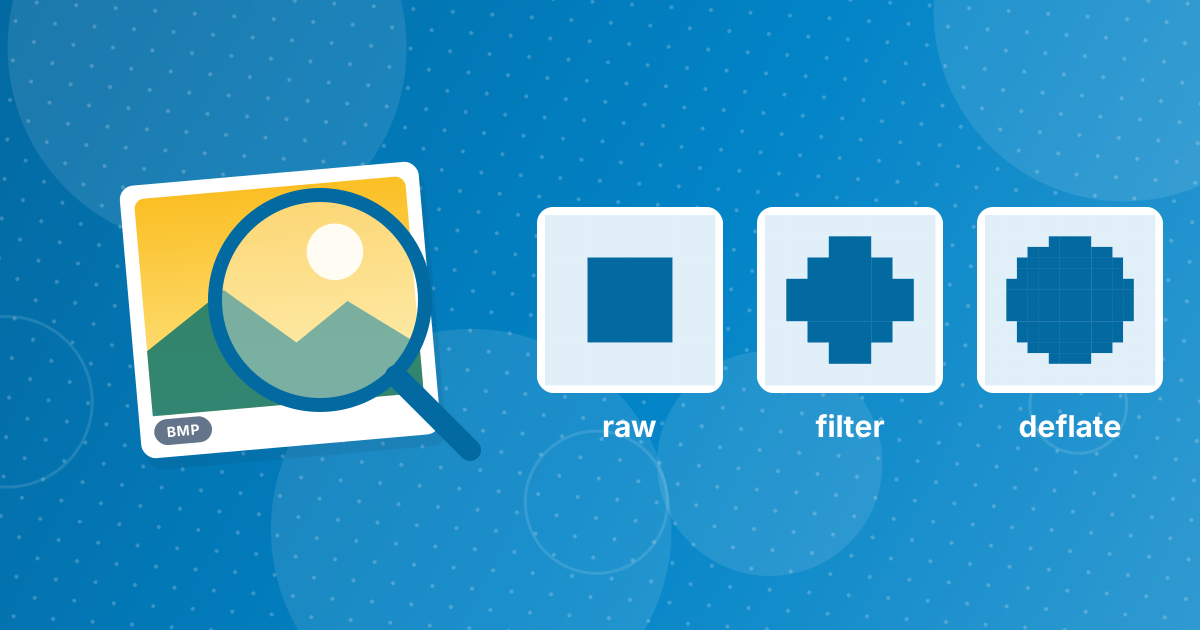
PNG shrinks a BMP without changing a single pixel by using lossless compression: each row is first transformed to make patterns more predictable, then compressed with the Deflate algorithm, the same family used in ZIP files. Decoding reverses both steps exactly.
Here is how it works and which images benefit most.
On this page
Key takeaways
- BMP usually stores raw pixels; PNG stores the same pixels compressed.
- PNG applies a per-row filter, then Deflate compression.
- Screenshots and flat graphics shrink dramatically; photos shrink less.
- Lossless means the decoded image is bit-for-bit identical.
Steps shown in the video
- Click Choose BMP Files and select your BMP images
- Each file is listed with a preview and its size
- Click Convert to PNG
- Download your PNGs (several come as one ZIP)
The two steps of PNG compression
- Filtering. For each row, PNG stores differences from neighbouring pixels instead of raw values. In smooth or flat areas, most differences become zero.
- Deflate. The filtered bytes are compressed by finding repeated sequences, as a ZIP file does.
Both steps are fully reversible. The PNG specification is published by the W3C as the PNG Specification.
Which images shrink the most?
| Image type | Compression |
|---|---|
| Screenshots with flat colours | Very high |
| Diagrams, charts, pixel art | Very high |
| Scanned text documents | High |
| Photographs | Moderate |
Lossless vs lossy
JPG throws away detail the eye is unlikely to notice to get far smaller photo files. PNG never throws anything away. That is why PNG suits graphics and JPG suits photos. Convert with BMP to PNG or, for photos, BMP to JPG; see how to convert BMP to PNG.
How to verify nothing changed
Open the BMP and the PNG in an image editor and place one layer over the other with the Difference blend mode. A completely black result means every pixel is identical. This is a quick way to prove a lossless conversion, and a good habit before deleting original files.
Compression level vs quality
PNG tools sometimes offer a "compression level". Unlike JPG quality, it never affects the image: higher levels just spend more time searching for a smaller encoding of the same pixels. That is why PNG optimisers can shrink files further without any visible or measurable change.
Convert with BMP to PNG; for photos where small losses are acceptable, BMP to JPG is smaller.
Other lossless formats
PNG is not the only lossless option. Lossless WebP often produces even smaller files for web use, and TIFF supports lossless compression for print and archiving. For everyday use, PNG remains the most compatible choice: every app, browser and operating system opens it.
Lossless compression: FAQ
Does converting BMP to PNG change the image?
No. The decoded pixels are identical.
How does PNG compress without loss?
It filters each row to expose patterns, then compresses the result with Deflate.
Why do photos compress less?
Photos have fewer exact repetitions, so lossless compression finds less to save.
Is PNG always smaller than BMP?
Almost always, and often dramatically for screenshots.
What is lossy compression?
Compression that discards some detail to save space, as JPG does.
Does PNG compression level affect quality?
No. It only changes file size and encoding time.
How can I prove the conversion is lossless?
Compare the images with a Difference blend in an editor; identical pixels give a black result.
How much smaller is PNG than BMP?
It depends on the image: screenshots and graphics shrink dramatically, photos less.
Is PNG compression the same as ZIP?
PNG uses Deflate, the same algorithm family used in ZIP files.
Can PNG files be compressed further?
Yes. PNG optimisers try different filters and compression settings to find a smaller encoding of the same pixels. They never change the image, only the file size.
Smaller, not different
PNG's filter-and-Deflate approach keeps every BMP pixel while removing the redundancy, which is why BMP to PNG is safe for any image.