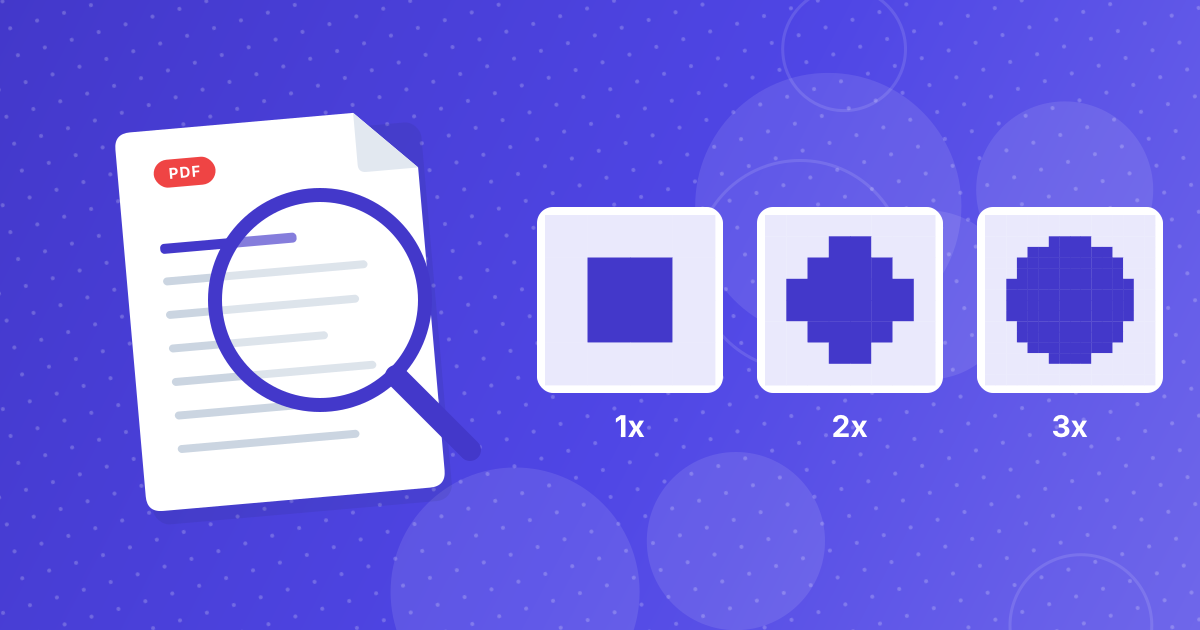
PNG has no quality slider, so the only setting that changes how a converted PDF page looks is its resolution. The tool offers three levels, 1x, 2x and 3x, which scale the page to one, two or three pixels for every point of its size.
This guide lists the pixel sizes each level produces, what to expect for file size and which level suits slides, websites, reading on a phone and printing.
On this page
Key takeaways
- Resolution is the only dial: higher gives a sharper image and a bigger file.
- A standard A4 page becomes about 595, 1190 or 1785 pixels wide at 1x, 2x and 3x.
- The pixel count grows with the square of the multiplier, so 3x has nine times the pixels of 1x.
- Choose 2x for most uses and 3x only when you need to zoom or print small.
Steps shown in the video
- Click Choose PDF Files and select your PDF
- Your file is listed with its size
- Click Extract Images to turn each page into a PNG
- Click Download All to save every page
Why PNG has only one dial
JPG trades detail for size with a quality setting. PNG does not. It compresses without discarding anything, so two PNGs of the same page at the same resolution look identical. What changes the result is how many pixels the page is drawn with, and that is the resolution.
What 1x, 2x and 3x mean
A PDF page has a physical size in points, where one point is 1/72 of an inch. At 1x the page is drawn with one pixel per point, which is 72 pixels per inch. At 2x it is 144 pixels per inch and at 3x it is 216.
| Page | 1x | 2x | 3x |
|---|---|---|---|
| A4 (210 × 297 mm) | 595 × 842 | 1190 × 1684 | 1785 × 2526 |
| US Letter (8.5 × 11 in) | 612 × 792 | 1224 × 1584 | 1836 × 2376 |
| Pixels in total (A4) | About 0.5 million | About 2 million | About 4.5 million |
What to expect for file size
File size follows the pixel count and the content of the page. Pages of black text on white compress very well in PNG, so they stay small even at 3x. Pages with photographs, gradients or shaded backgrounds compress poorly, and a single page at 3x can reach several megabytes.
- Text and line art: small files at every level, because large flat areas compress well.
- Scans and photos: large files, since there is almost no repeated detail to squeeze.
- Many pages: the total adds up fast. Fifty photo pages at 3x can run to hundreds of megabytes.
If the images are for email or a website, convert at 2x first and see whether that is sharp enough before moving up.
Match the setting to the job
| Use | Resolution | Reason |
|---|---|---|
| Thumbnail or preview | 1x | Small and fast |
| Slides and documents on screen | 2x | Sharp on a full-HD display |
| Website images | 2x | Detail without excess weight |
| Zooming into small print or diagrams | 3x | Extra pixels stay crisp when enlarged |
| Text recognition (OCR) | 3x | Sharper letters read more accurately in Image to Text |
A note on transparency
PNG can store transparency, but PDF pages are drawn on a white background, so the converted images are opaque. Logos or graphics that need a see-through background must be exported from the original design file, or have their background removed in an image editor afterwards. Vector artwork is better requested as SVG from whoever made it.
Scanned PDFs cannot gain detail
A scanned PDF is a photograph of paper. A page scanned at 300 pixels per inch already holds about 2480 by 3508 pixels, which is more than the 3x level produces, so converting at 3x loses a little instead of adding detail. A poor low-resolution scan stays blurry at any level. Judge the original before blaming the settings.
Making the PNGs smaller afterwards
Shrink the dimensions with Resize Image, reduce the weight with Image Compressor, or switch to PDF to WebP, which usually gives smaller files than PNG. The comparison of PDF to JPG vs PDF to PNG shows when a lossy format is acceptable.
PDF to PNG resolution: FAQ
What resolution should I use for PDF to PNG?
2x for most documents and slides. Use 3x to zoom into small details and 1x for thumbnails.
Does PNG have a quality setting?
No. PNG is lossless, so only the resolution changes how the page looks.
Why are my PNG files so large?
Pages with photos, gradients or shading compress poorly in PNG, and a higher resolution multiplies the pixel count.
How many pixels wide is an A4 page at 2x?
About 1190 pixels wide and 1684 tall.
Is the 300 DPI label accurate?
The highest option is a 3x multiplier, which is 216 pixels per inch on a standard page. Use the pixel sizes as the guide.
Can I make the PNG background transparent?
Not with this tool. Pages are drawn on white, so remove the background in an image editor if you need transparency.
Will converting a scanned PDF improve its quality?
No. A conversion cannot add detail that the scan never captured.
Can I print the PNG pages?
For drafts and handouts, yes. For best print quality, print from the original PDF, which keeps text sharp at any size.
How can I reduce the size of the PNG files?
Convert at a lower resolution, resize or compress the images afterwards, or choose WebP or JPG when perfect edges are not required.
Start at 2x
Convert one page at 2x, check that it is sharp enough and move up to 3x only if you need more. Pixels cost file size, and PNG makes no compromise on the pixels you ask for.