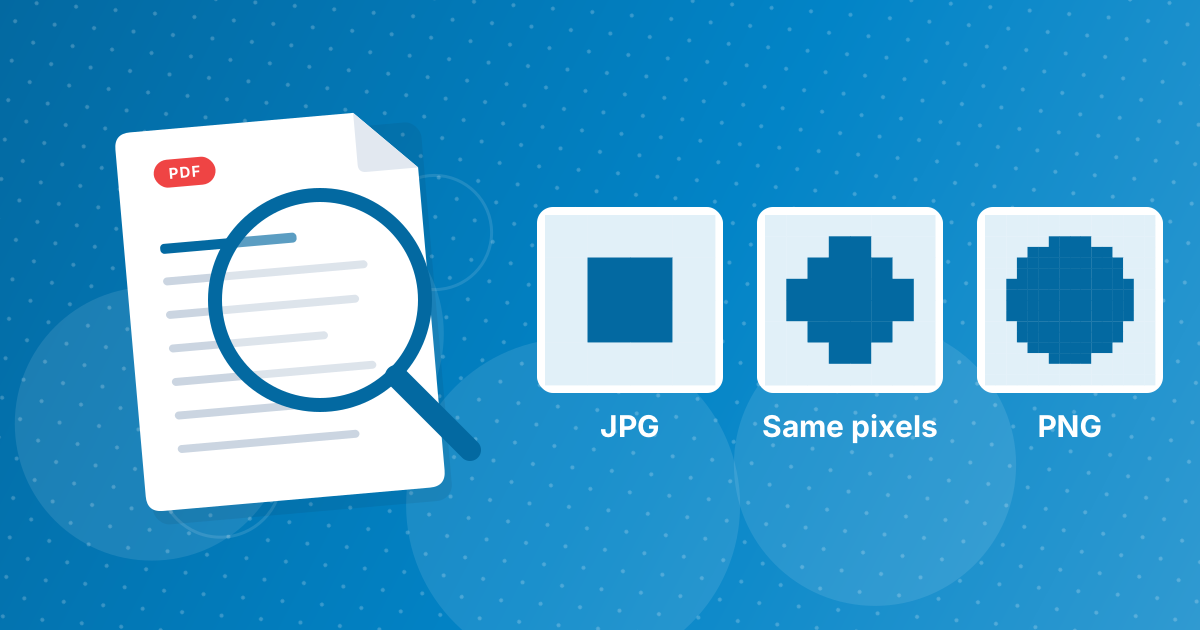
Converting a JPG to PNG does not improve its quality. The PNG contains exactly the pixels of the JPG, including any compression artifacts. What conversion does is freeze the picture, so later saves add no more loss.
That makes PNG a good working format, and the file will be much larger.
On this page
Key takeaways
- JPG throws detail away when it is created, and PNG cannot bring it back.
- The PNG matches the JPG pixel for pixel.
- Future edits and saves of the PNG add no loss.
- Expect a PNG several times larger than the JPG, especially for photos.
Why quality does not improve
Think of a photocopy. A JPG is already a photocopy that lost some fine detail. Copying it onto better paper (a PNG) keeps what is there but cannot restore what the first copy dropped. The converter reads the pixels of the JPG and writes them to a PNG unchanged.
What does change
| Aspect | JPG | PNG made from it |
|---|---|---|
| Pixels | As created | The same |
| Artifacts | Present | Present |
| Saving again | Loses a little more each time | Loses nothing |
| File size | Small | Often 3 to 10 times larger |
| Transparency | No | Supported, but the picture is opaque |
Why the file grows
JPG shrinks photos by discarding detail the eye barely notices. PNG keeps every pixel exactly. Natural photos have little repetition for lossless compression to exploit, so the PNG is large. A 2 MB photo becoming 10 to 15 MB is normal.
When converting still helps
- You will edit the image many times and want no cumulative loss.
- A program or platform requires PNG.
- You want to remove a background and save with transparency.
- You are archiving a working version of an edited graphic.
When it does not
- To make a blurry or compressed picture look better.
- To save space. Use a smaller image or Image Compressor instead.
- To share photos by email or chat, where JPG is the practical choice.
Related reading
The format differences are summarized in PNG vs JPG. The conversion steps are in how to convert JPG to PNG. For editing without loss in other formats, see edit JFIF images without quality loss.
Try it yourself
Convert a JPG to PNG and open both at 400 percent zoom. The blocks, speckles and soft edges in the JPG appear unchanged in the PNG. Now save the JPG again from an editor and compare it with the first. The second JPG is slightly worse, while saving the PNG repeatedly gives identical files. That difference is the whole benefit of the conversion.
JPG to PNG quality: FAQ
Does JPG to PNG improve image quality?
No. The PNG has the same pixels as the JPG.
Why is the PNG so much bigger?
PNG stores pixels without discarding anything, which is costly for photographs.
Will repeated edits lose quality in PNG?
No. PNG can be saved again and again unchanged.
Can PNG remove JPG artifacts?
No. Artifacts become part of the picture.
Does the PNG gain transparency?
No. It is opaque unless you edit it afterwards.
Should I convert photos to PNG for storage?
Usually not. It uses much more space without making them better.
When should I convert?
When you need a working format with no cumulative loss, or when PNG is required.
Is the conversion private?
Yes. It runs in your browser.
Does PNG keep the JPG's color accurately?
Yes. The colors of each pixel are copied as they are, including any small shifts that JPG compression introduced.
Is a PNG made from a JPG good for archiving?
It stops further loss but uses far more space. For archives, keep the best original you have.
A stable copy, not a better one
Convert to stop further loss and meet format requirements. For higher quality, find a better original.