Cropping does not make the pixels that remain any blurrier. It copies the chosen area at its original pixel size, so the cropped image is as sharp as the part of the original it came from.
What cropping does change is the pixel count, because you keep fewer of them. For JPG and WebP there is also one extra save, which has a small effect. Here are the details.
On this page
Key takeaways
- Cropping copies pixels without scaling them, so detail inside the crop is preserved.
- A smaller crop has fewer pixels, so it looks less detailed when enlarged to the original size.
- JPG and WebP are saved again at 92 percent quality, PNG is saved losslessly.
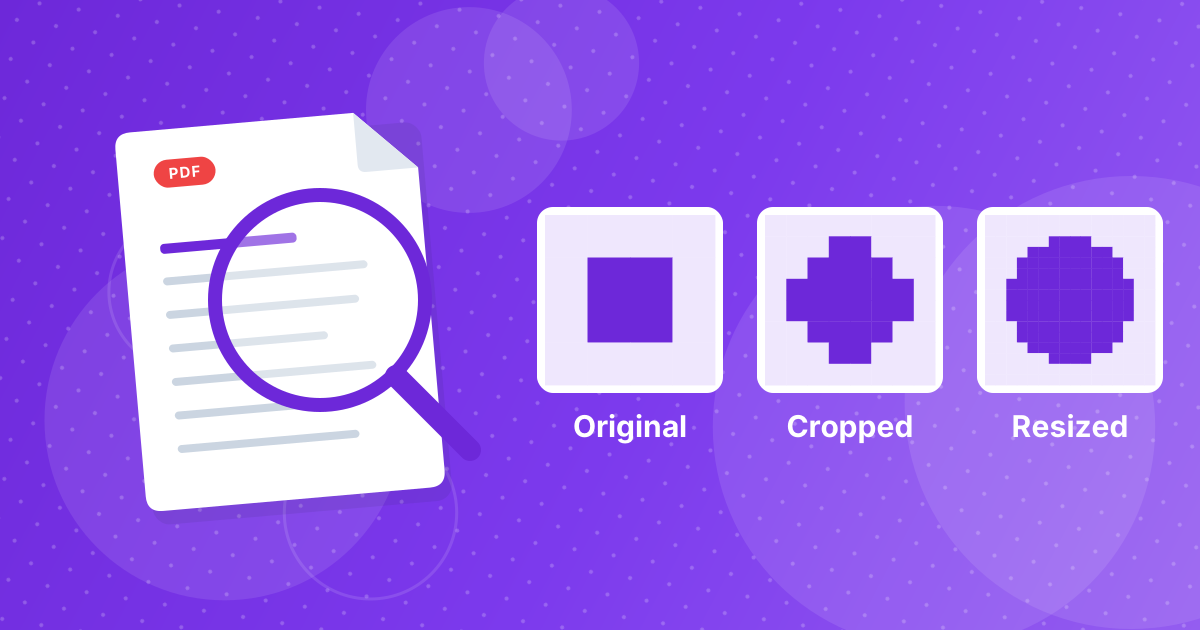
- Crop changes the frame; resize changes the scale. They are different operations.
Steps shown in the video
- Click Choose Images and select the photos to crop
- Each file is listed with a preview and its size
- Choose an aspect ratio, here widescreen 16:9
- Click Crop images
- Download your cropped images
What cropping does to pixels
Imagine the photo as a grid of colored squares. Cropping cuts out a smaller rectangle of that grid and discards the rest. The squares inside are not altered, moved closer or stretched. A 4000 by 3000 photo cropped to 2000 by 2000 holds exactly the pixels it had at that spot before.
The only edge case is rounding. Ratio crops that do not land on whole pixels are rounded to the nearest pixel, so the result can differ from the exact ratio by a fraction of a pixel.
Where quality can drop
| Format | What happens on saving | Visible change |
|---|---|---|
| PNG | Saved losslessly | None |
| JPG | Re-encoded at 92 percent quality | Rarely visible |
| WebP | Re-encoded at 92 percent quality | Rarely visible |
| Other formats | Saved as PNG | None |
Re-encoding a JPG introduces a tiny amount of compression each time it is saved. One pass at high quality is usually invisible. Avoid saving the same JPG repeatedly through many edits. Do your cropping once from the original file.
The real cost: fewer pixels
Cropping to a quarter of the area leaves a quarter of the pixels. On a phone screen that is fine. If you enlarge the crop to fill a poster or a full-width banner, it will look soft because the screen or printer has to invent pixels that the file does not have. That softness comes from the enlargement and not from the crop.
- For screens: about 1200 pixels across is enough for most web uses.
- For prints at 300 pixels per inch: a 6 × 4 inch print needs about 1800 × 1200 pixels.
- Rule of thumb: crop from the largest original you have, not from a version that was already shrunk.
Crop vs resize
| Crop | Resize | |
|---|---|---|
| What it changes | The frame: removes edges | The scale: changes every pixel |
| Pixels inside | Unchanged | Recalculated |
| Composition | Different | The same |
| Use it to | Remove clutter or set a shape | Meet a size or file limit |
Use Crop Image to decide what is in the frame, then Resize Image if you need smaller dimensions, and Image Compressor if you need a smaller file.
Habits that protect quality
- Crop from the original, not from a copy that was already compressed or shrunk.
- Crop once, with the final ratio in mind.
- Keep the original file in case you need a different shape later.
- Resize after cropping, not before.
- Prefer PNG for graphics with sharp lines and text.
A side effect: metadata is removed
Because the cropped image is saved as a new file, camera details, timestamps and GPS location from the original are not carried over. That helps when you share a picture publicly. The explanation of what EXIF data is shows what a photo normally carries, and Remove EXIF strips it without changing the frame.
Cropping and quality: FAQ
Does cropping reduce image quality?
Not in the pixels that remain. The cropped area keeps its detail, but the image has fewer pixels overall.
Is cropping lossless?
For PNG, yes. JPG and WebP are re-saved at 92 percent quality, which is rarely visible.
Why does my cropped image look blurry when enlarged?
It has fewer pixels, so enlarging it to the original size spreads them thinner.
Is cropping the same as resizing?
No. Cropping removes parts of the picture, while resizing scales the whole picture.
Should I crop or resize first?
Crop first, then resize to the final size.
Does cropping make the file smaller?
Usually, since there are fewer pixels to store.
Does cropping remove EXIF data?
Yes. The cropped copy is saved as a new image without the original metadata.
Can I undo a crop?
The original file is not changed, so you can always crop it again from the original.
Crop freely, keep the original
A crop keeps the detail it keeps. Start from the largest original, crop once and keep the source file for later.